
.svg)

Run AP for Every Client From One Platform
MakersHub runs accounts payable for a whole client book from one platform. Bill capture, line-item coding, and approvals sit in one place, with each client's records fully separate. Your team stops keying bills into two systems and gets the hours back for advisory work.
.avif)
What’s Holding Teams Back

Every client runs AP a little differently, so the team rebuilds the process client by client.

Keying each bill by hand burns the hours that advisory work should pay for.

Clients want to see their AP without your team losing control of it.

Adding clients means adding headcount when the process is manual.
The MakersHub Advantage

One workspace that holds every client's AP, with records and rules kept separate per client.

Capture bills in any format: PDF, scan, photo, or a handwritten receipt.
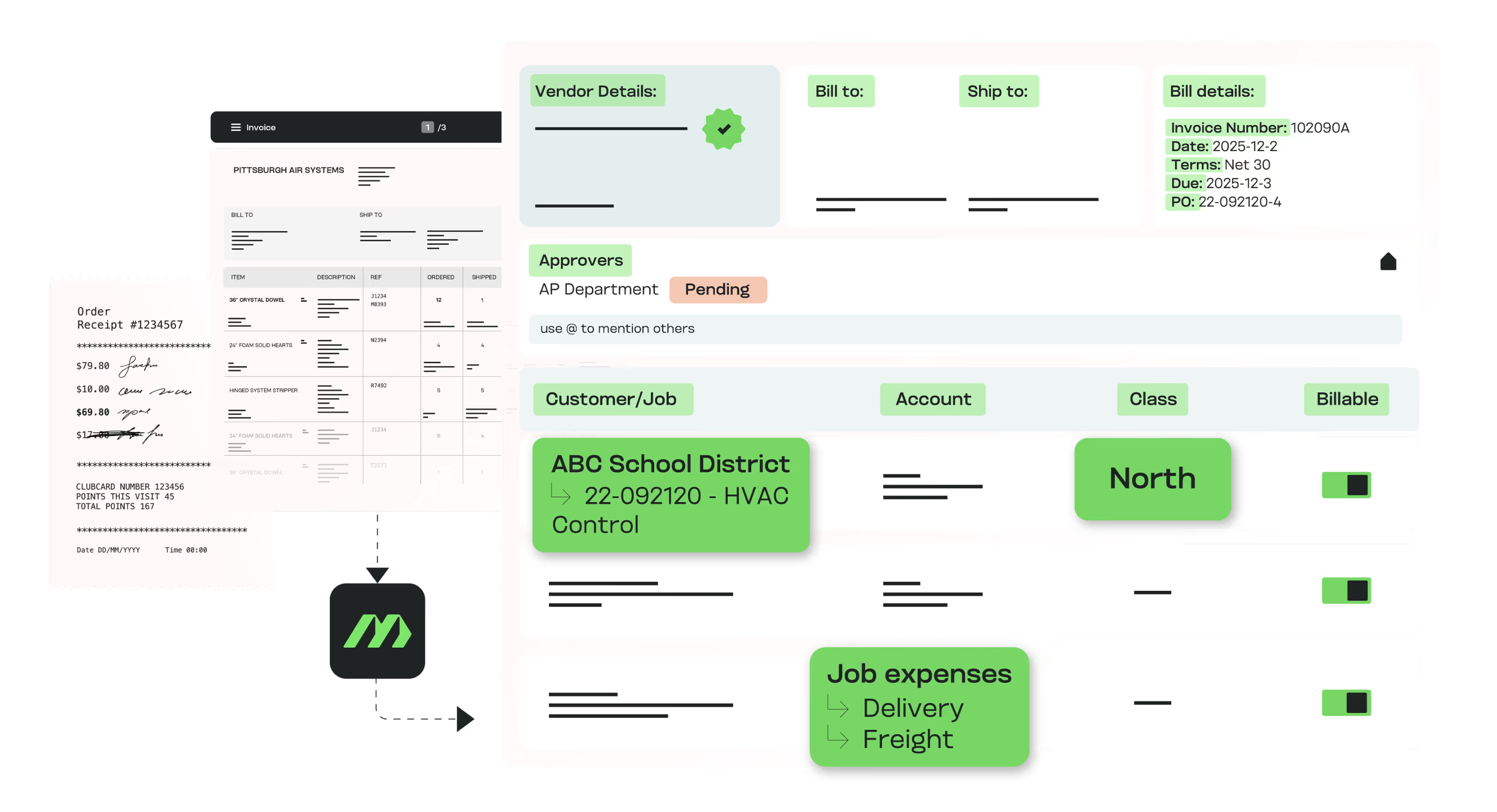
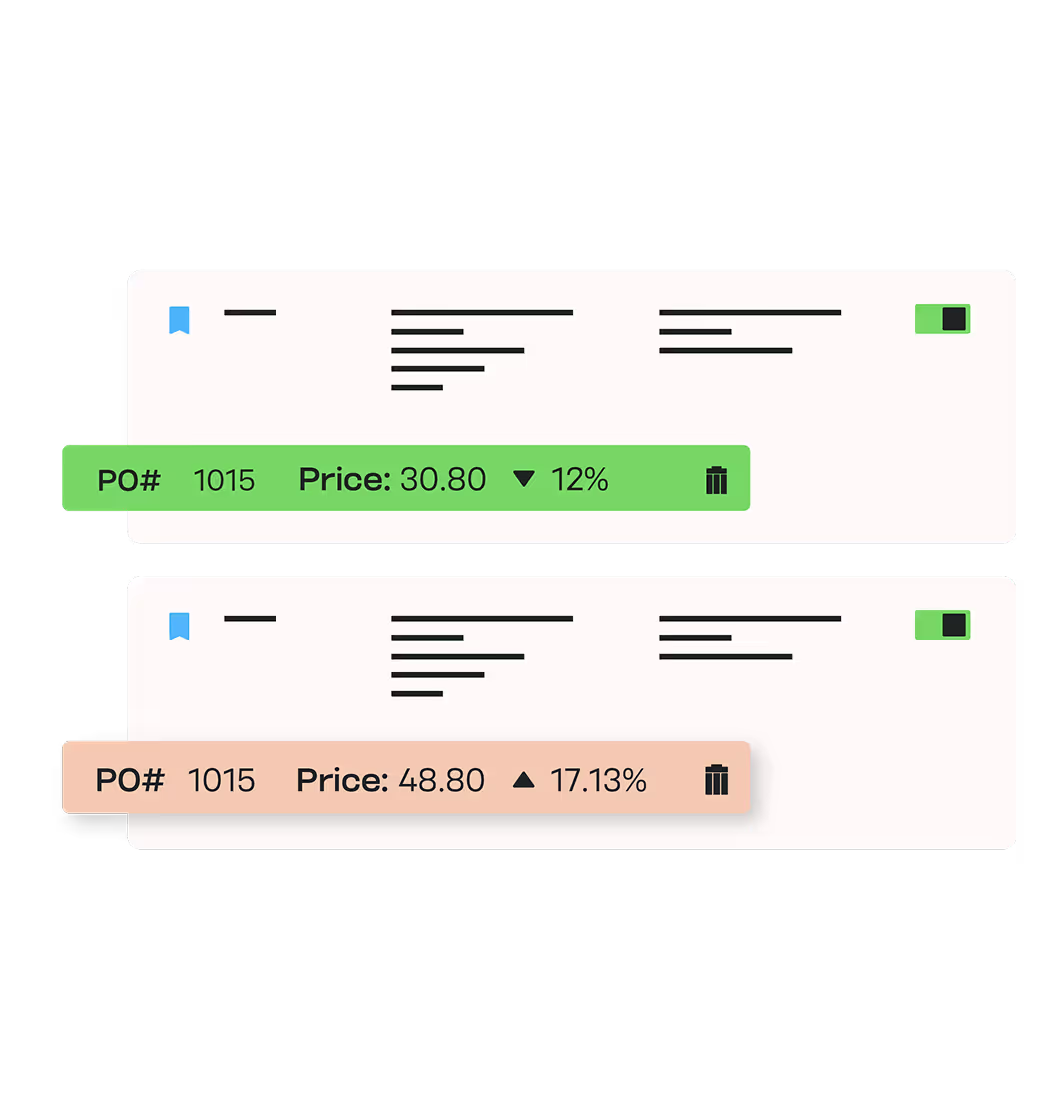

Match POs and receipts at the line, not just the total.

Separate bill upload, approval, and payment authorization with role-based permissions.

Sync to QuickBooks Online, QuickBooks Desktop, Sage Intacct, and NetSuite in real time, with a full audit trail.

In Their Words
“MakersHub has saved my team loads of time with processing bills to Quickbooks! I cannot say enough good things about their commitment to my success with the tool. New tools are scary, but the excellent team at MakersHub held my hand every step of the way. I also love the look of the tool, and the flow of the bill/payment cycle is very intuitive."


Deirdre Otto, COO
Zoar Finance
Read more stories.

Outcomes You Can Measure

80% reduction in manual data entry.

Faster closes on more consistent books.

Client trust built on clear, auditable records.
See It Across a Client Book
Book a 20-minute walkthrough. We will show AP running for multiple client entities from one platform, records kept separate.
Connects to the Systems Clients Already Run
Firms run MakersHub across a client book on whatever each client uses. Every client stays coded to its own chart of accounts.

QuickBooks
An in-house two-way sync runs AP for each client on the system they already use, coded to that client's chart of accounts.

Xero
Native OAuth connection with true two-way sync; tracking categories applied at coding, per client.

Sage Intacct
Real-time two-way sync routes bills by entity and carries dimensions through, so a firm runs multi-entity clients from one login.

NetSuite
An in-house integration routes bills by subsidiary with segment data intact, for client entities that run NetSuite.
Intuit Enterprise Suite
For CAS and fractional-CFO firms, MakersHub manages several IES entities from a single login in a familiar QuickBooks-family interface.
Automation for Accounting Firms vs the Alternatives
What a firm needs
MakersHub
Manual / per-client AP
Generic AP automation
Multi-client from one platform
Every client, records separate
Rebuild per client
Usually single entity
Per-client coding rules
Each client's own chart
Manual per client
One rule set
Separation of duties
Upload, approval, authorization split
Manual
Often not enforced
Client-side approvers
Client approves, firm oversees
Limited
System coverage
QBO, Desktop, Xero, Sage, NetSuite
Whatever each client runs
Varies
FAQs
We connect directly with QuickBooks Online, QuickBooks Desktop, Sage Intacct, Intuit Enterprise Suite and NetSuite. For firms supporting other systems, Smart Data Connect provides flexible file-based or API integrations.
Each client has fully segregated records and workflows. Your team can switch between client files with ease while keeping data clean, secure, and organized in one platform.
Yes. Project managers, department heads, and executives can all be part of your accounts payable approvals, with personalized inboxes showing only what matters to them.
MakersHub gives firms granular control over who can do what. Each user can be assigned specific permissions for bills, receipts, payments, vendors, and accounting data, so access aligns with their role in the approval or payment process. Approval and payment limits can be set by dollar threshold, and user groups make it easy to mirror an organization’s structure, ensuring the right person — or the right team — is always involved at the right stage.
This approach separates duties between submitting, reviewing, approving, and authorizing payments, helping firms maintain strong financial controls without adding friction.
Yes. Clients can be given scoped access to submit bills, upload receipts, or approve expenses. Your firm retains visibility and oversight, while the client maintains control of payments. This collaboration keeps records accurate, approvals timely, and responsibilities clearly separated.
Every bill, approval, and payment is logged with timestamps, user details, and supporting documents. Auditors have complete visibility without creating extra work for your team.
Yes. Every client sits in one platform with records and coding rules kept separate. Switching clients does not mix data.
Every bill, approval, and Yes. Client-side approvers and firm staff share one chain, each seeing only what is theirs, with every action logged.is logged with timestamps, user details, and supporting documents. Auditors have complete visibility without creating extra work for your team.
Scale the Firm Without
Scaling Headcount.
Run every client's AP from one platform, keep the records clean and separate, give the advisory hours back to your team.