
.svg)

AP That Keeps Projects on Schedule
MakersHub handles construction accounts payable from the bill in the field to the payment out the door. Every line is captured and coded to the right project, phase, and cost code, matched against the PO, and routed to the PM who owns the job. Subs get paid on time and you see the cost while the job is still open.
.avif)
What’s Holding Teams Back

A bill can arrive faster than anyone can code it to the right job, phase, and cost code.

Matching each line against the PO by hand slows the sub payment and lets price errors through.

Approvals sit waiting on a PM who is on a site, not at a desk.

You find out a job is over on materials at month-end, not while you can still act on it.

Tight margins lose ground every time an early-pay discount slips.
The MakersHub Advantage

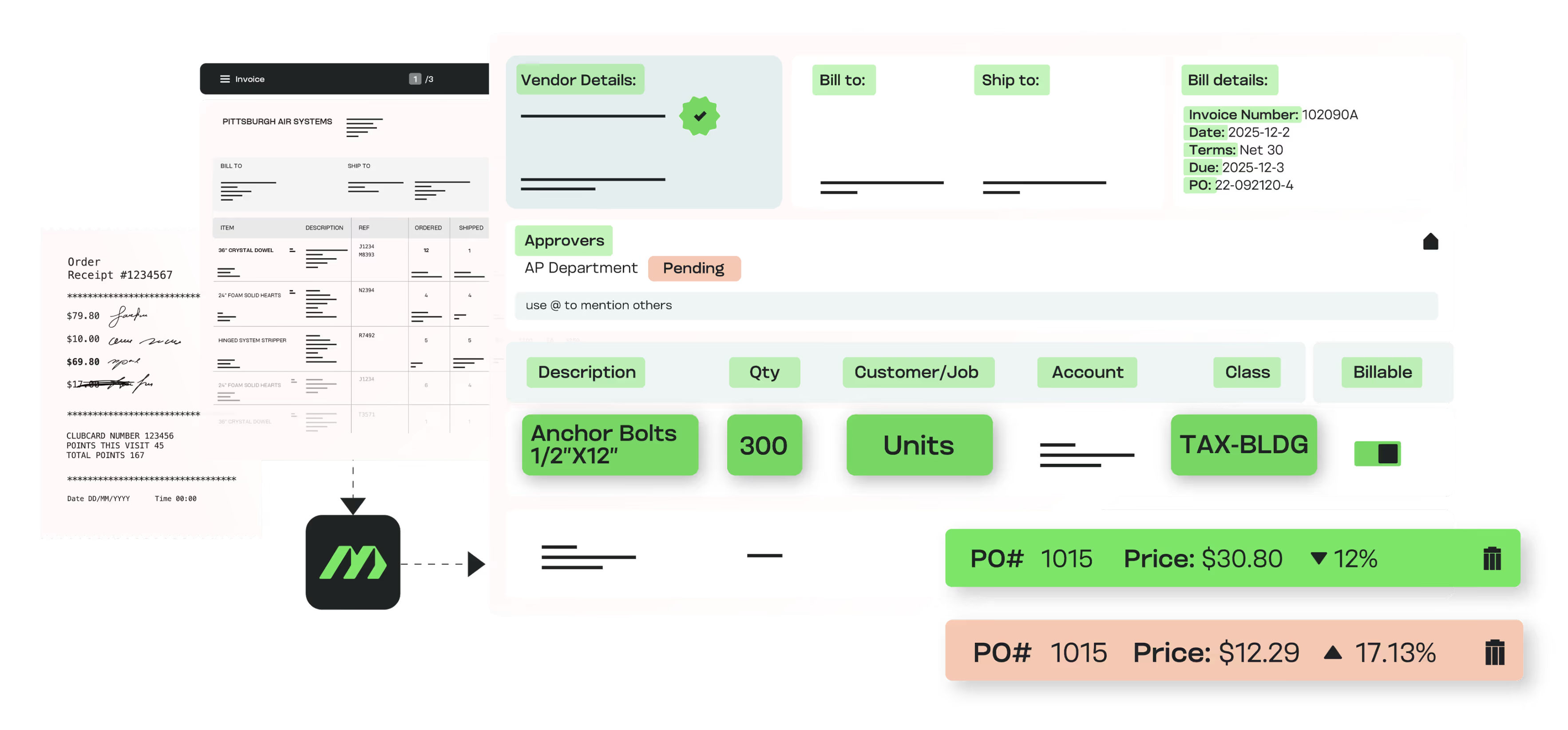
Capture every bill and code each line to the right project, phase, and cost code before anyone touches it.

Match each line against the PO and receipt, so a price or quantity error is caught before the sub is paid.
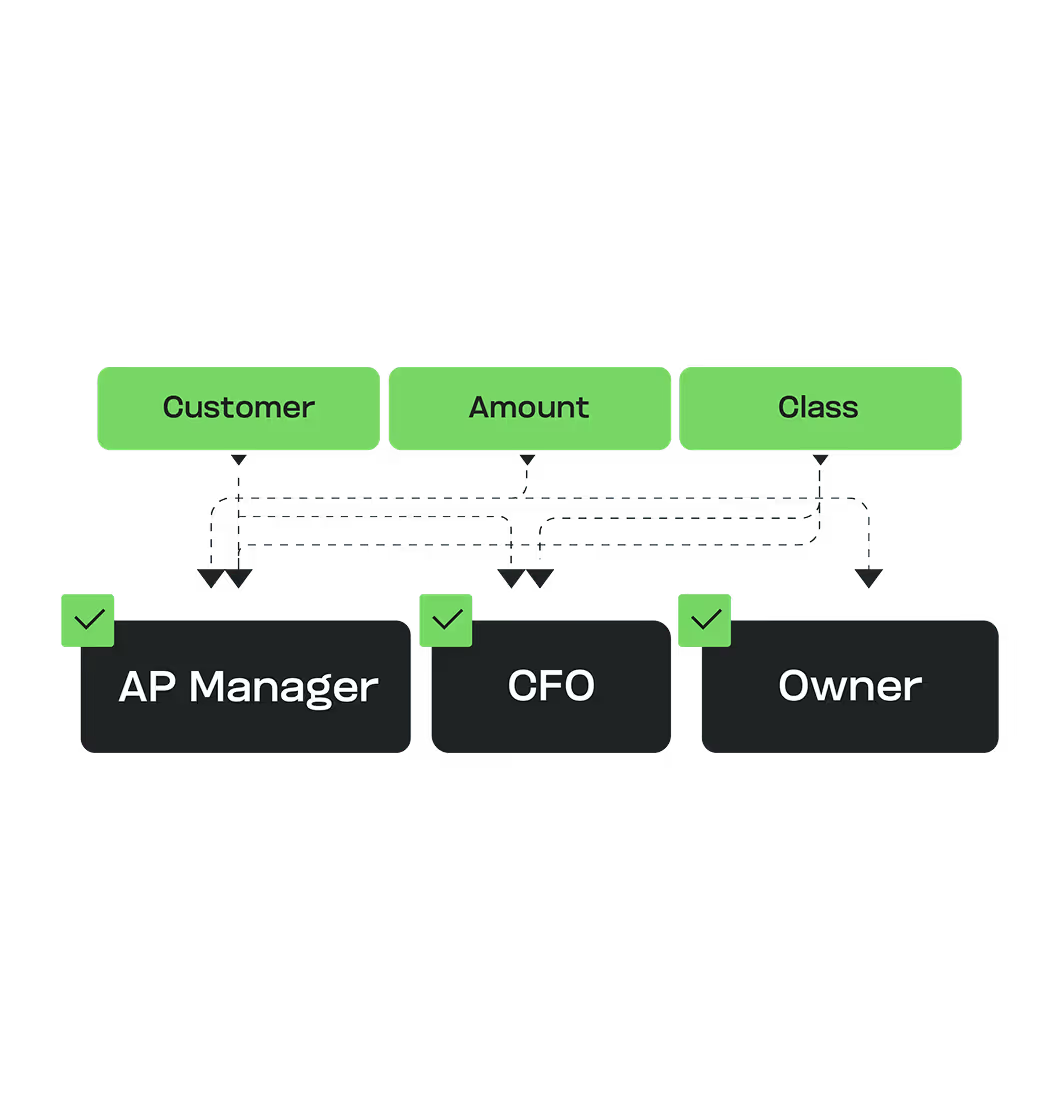

Route approvals to the PM who owns the job, then to finance, in sequence or parallel.

Show job cost as the bills land, so an overrun surfaces while the job is still open.

Let field managers approve from a phone or from email between site walks.

In Their Words
“We’ve been using Makershub to manage subcontractor invoices for our residential remodeling business, and it has completely transformed our payment process. The platform is intuitive, easy to navigate, and has significantly cut down on time spent chasing paperwork and approvals. What really sets Makershub apart is their customer support. Anytime we’ve had a question or needed assistance, their team has been quick to respond and incredibly helpful. It feels like they genuinely care about our success. If you’re a contractor or business owner looking for a smart, reliable invoicing solution, I highly recommend Makershub!”

%20(1).svg)
Marla Bisset, Vice President
PJB Builds
Read more stories.

Outcomes You Can Measure

Approvals completed 5x faster, keeping projects moving.

80% reduction in manual data entry across multi-project workflows.

30% savings on AP processing costs by eliminating errors and capturing discounts.

Subcontractor and vendor trust built on on-time, accurate payments
Scale faster with automated AP you can trust.
Book a 20-minute walkthrough. Bring a real subcontractor bill and we will code it to the job, phase, and cost code live.
Connects to the System You Already Run
Construction teams run MakersHub on the accounting system they already use. Bills are captured, coded, and synced back without double entry.

QuickBooks
An in-house two-way sync codes every line to the right job, cost code, and class, then pushes the bill back ready for payment.

Sage Intacct
Real-time two-way sync routes bills by entity and carries dimensions through, so a firm runs multi-entity clients from one login.

NetSuite
An in-house integration routes each bill to the right subsidiary and carries job, class, and location through to close, with no middleware in between.

Intuit Enterprise Suite
For teams that moved up from QuickBooks, MakersHub codes IES dimensions and custom fields at the line and routes each bill to the right entity.
Automation for Construction vs the Alternatives
What a construction team needs
MakersHub
Manual / spreadsheet AP
Generic AP automation
Job, phase, cost-code coding
Every line, before it posts
Keyed by hand per bill
GL code only
Line-item PO matching
SKU, quantity, price per line
Eyeballed
Totals only
Field approvals
From a phone between site walks
Email or paper
Desk-bound
Job cost visibility
As bills land
Month-end
Limited
Multi-entity
One rule set across entities
Re-keyed per entity
Usually single entity
FAQs
Yes. Approvals can be completed via mobile or directly from email. Project managers see only the bills tied to their jobs, keeping workflows fast without exposing full company financials.
Bills can be matched to one or many POs, including partial shipments. Line-item discrepancies in quantity or price are flagged instantly so errors can be fixed before approval.
MakersHub captures bills from email, PDF, scans, or even smartphone photos. All formats are centralized into one system and converted into structured data.
Yes. Bills are coded by project, phase, and cost code so finance teams and managers have a clear view of where money is going.
By eliminating bottlenecks and automating approvals, subcontractors get paid on time. That reliability strengthens relationships and helps ensure labor and materials are available when needed.
Yes. MakersHub integrates with QuickBooks, Sage Intacct, and NetSuite in real time. Other systems can be supported through Smart Data Connect for API or file-based integrations.
Yes. Every line is coded to the job, phase, and cost code before it posts, so job costing stays accurate across concurrent projects without manual tagging.
Yes. A PM approves the bills tied to their jobs from a phone or email, without access to the full accounting system.
Yes. MakersHub syncs with QuickBooks Online and Desktop, plus Sage Intacct and NetSuite for multi-entity firms.
Keep Projects Moving and Budgets Intact.
Capture every bill, match every line, route every approval to the PM who owns the job. Subs paid on time, job cost visible while it still matters.