
.svg)
Coding That Applies Your Rules to Every Line
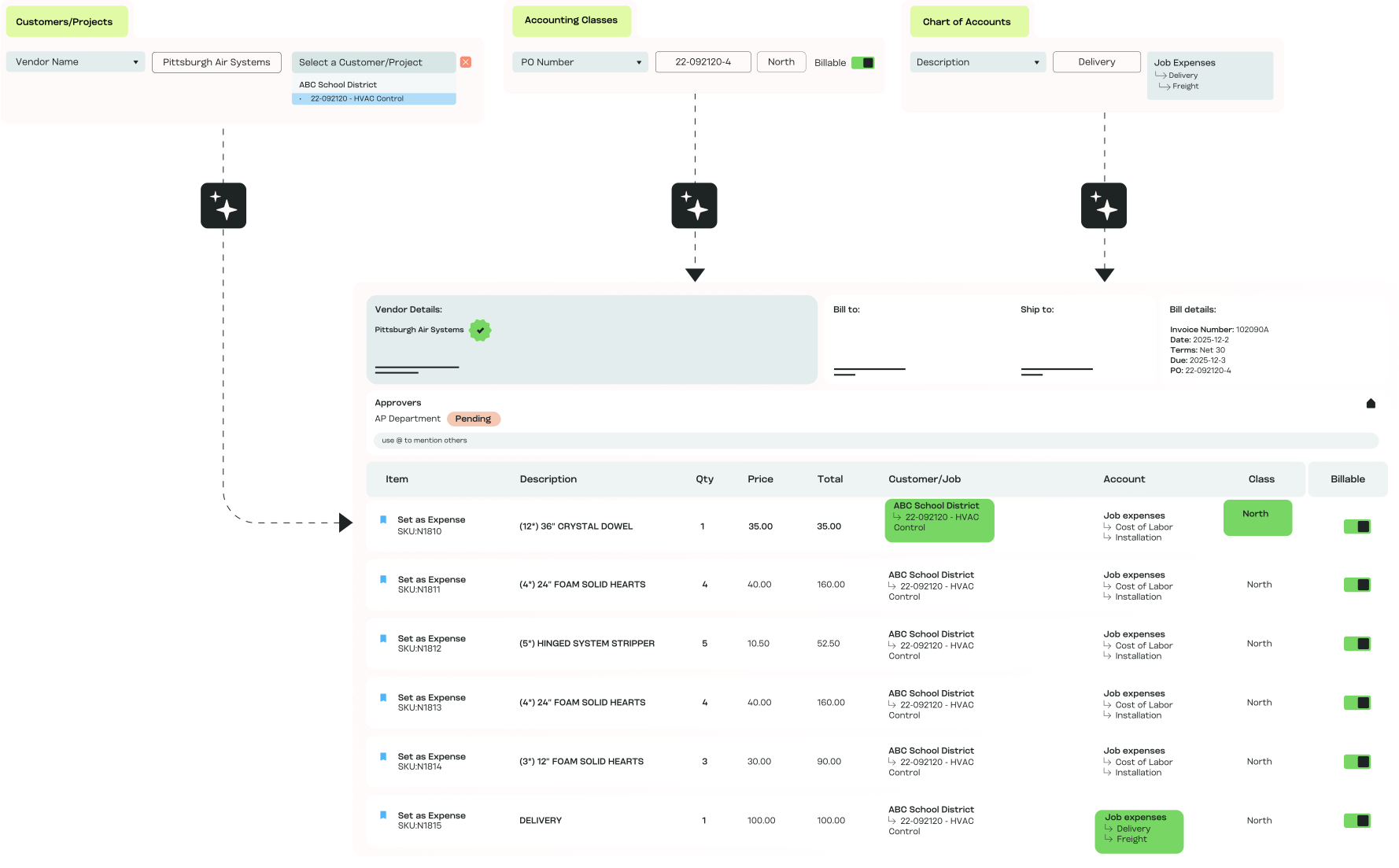
MakersHub reads the entire bill, applies your coding rules, and learns from each correction you make. Vendor maps to GL, line item to project, category to class, the same way every time.
.avif)
High Volume, High-Detail AP
Coding rules are only worth setting once if they hold across every bill, entity, and job afterward. The teams that feel that most:

Construction finance leads
Every line tagged to the right job, phase, and cost code, so job costing stays accurate as bills land.

Manufacturing controllers
Cost-center and class allocation across departments and entities, applied the same way every time.

Accounting and CPA firms
A separate coding structure per client, applied automatically across the whole book.

Trades owner-operators
Bills coded to the job without a dedicated AP person setting each one by hand.
How Automated Coding Works for You

AI That Learns
MakersHub learns how you code, from vendor down to line item, and applies the same logic to the next bill. When you correct a code, it holds for every bill after.

Consistency at Scale
Bills arrive already coded, so reconciliation starts clean and month-end close loses the days normally spent fixing miscodes.

Close Books Faster
Approvers see only the bills assigned to them, so nothing waits behind items that aren't theirs to review. Oversight is maintained without slowing the queue.

Error Prevention Built In
Catch the miscode before it reaches the books. MakersHub flags duplicates and rule mismatches at coding, not at reconciliation.

Built for Complexity & Scale
Sub-accounts, classes, billable flags, and multi-entity rules apply on the same bill. Coding is maintained whether you run one entity or twelve.
How the Coding Rules Work
Flexible Coding Rules
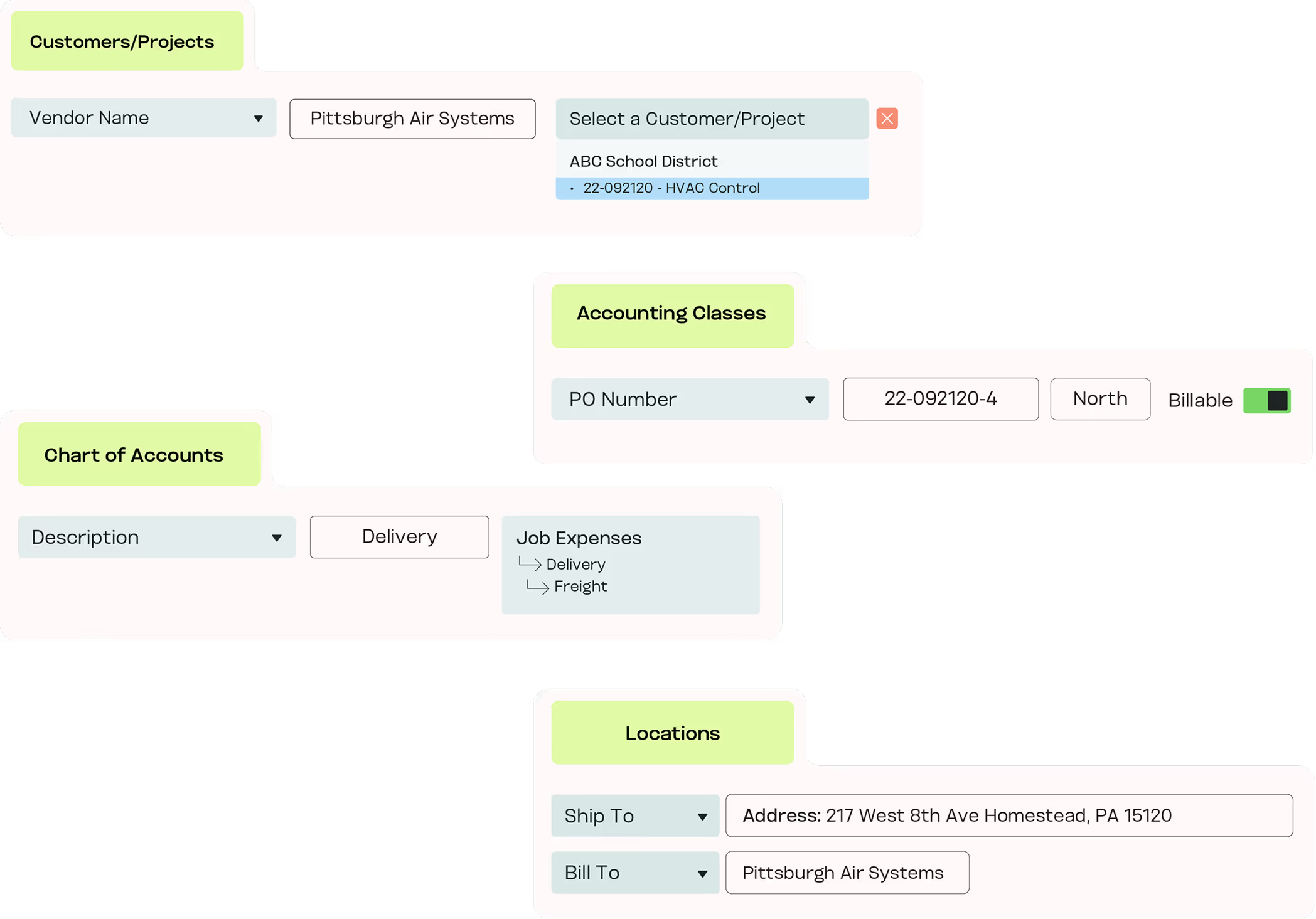
MakersHub goes past vendor-to-GL mapping. You can set rules at this level of detail:
- Vendor invoices mapped to specific GL accounts
- Certain expense categories marked as billable and assigned to the correct class
- Project-related purchases automatically tagged to the right job or customer
- Line items containing “Sales Tax” routed directly to the Sales Tax Paid account
- Uncategorized expenses captured in a default GL until reviewed
Confidence in Every Report
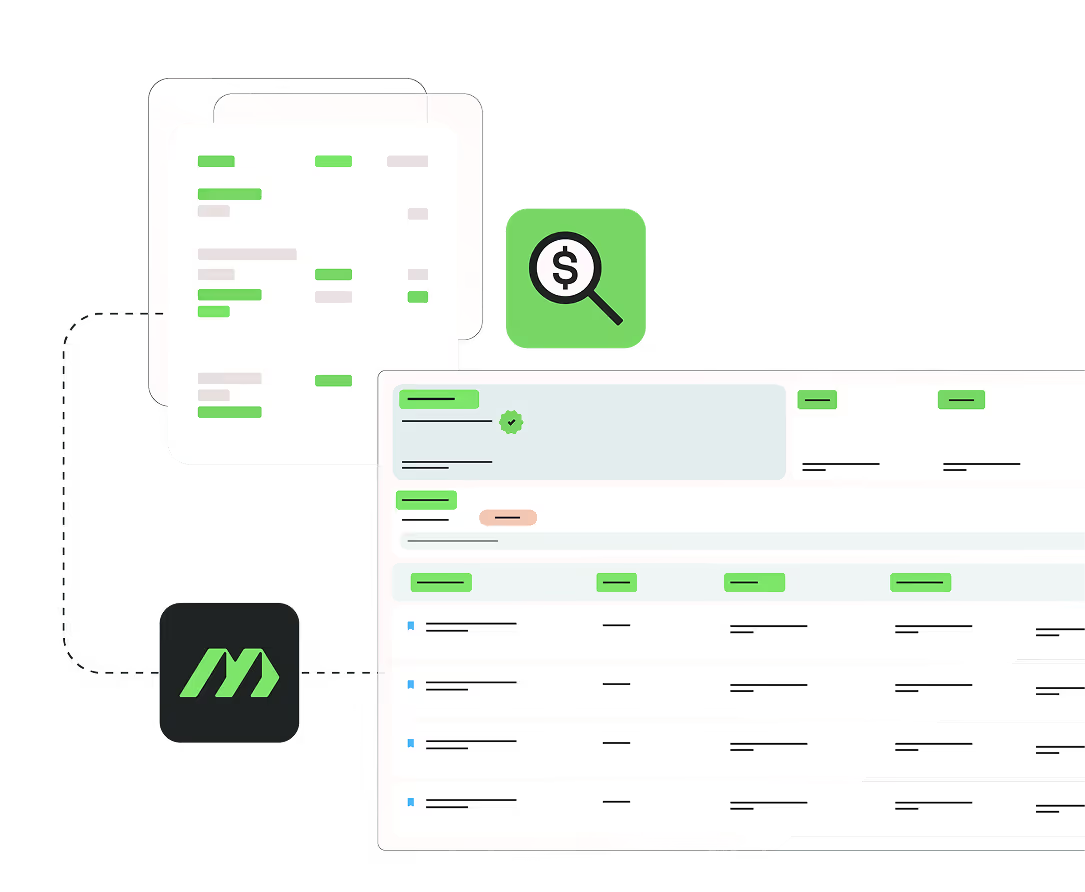
With rules-based AP coding applied to every bill, finance trusts the report, auditors see clean data, and managers can read project and job costs without a manual recut.
Experience the difference firsthand
Key Features of Automated Coding
One-Time Setup
Configure GL, job, and project rules once.

Context-Specific Mapping
Send bills and line items to the right accounts automatically.

Class & Billable Assignments
Apply class and billable status without manual tagging.

Line-Item Precision
Write rules down to a description, item, or keyword.

Default Catch-Alls
Route uncategorized expenses to a holding account.

Multi-Entity Consistency
Apply the same rules across entities, departments, and locations.

Error Prevention
Flag duplicates and mismatches before they hit the books.
In Their Words
“MakersHub is amazing from start to finish. We receive a high volume of invoices with multiple line items that are charged to different accounts, projects and classes - what was once slow and cumbersome is now a breeze! ”
.avif)

Jackie Anthony, Owner
AllCents Consulting

Set Your Rules Once, Watch Them Hold
Book a 20-minute walkthrough. Bring your chart of accounts and a recent multi-job bill, and we will code it live.
Automated Coding vs the Alternatives
What you need
MakersHub
Manual coding
Basic rules engines
Coding depth
Line item, job, phase, class, billable
Whatever a coder applies by hand
Vendor-to-GL mapping only
Learns from corrections
A fix holds for every bill after
No memory; re-coded each time
Static rules; no learning
Multi-entity
One rule set across all entities
Re-keyed per entity
Usually one entity per setup
Catch-all handling
Uncategorized routed to a holding account
Left for month-end cleanup
Often unhandled
Effect on close
Bills arrive coded; close starts clean
Days spent fixing miscodes
Partial; manual finish needed
FAQs
Not at all. MakersHub can auto-apply rules you define, but if automation isn’t desired, manual assignment is quick, easy, and just as seamless. You choose the level of automation that fits your workflow.
Very. You can create rules by vendor, category, class, project, or even keywords in line items. For example, you could map all marketing-related bills to the Marketing Expense GL, or route line items containing “Sales Tax” to the Sales Tax Paid account.
Yes. Update a rule once and it applies to every bill after. New GL codes, projects, or classes can be mapped as you add them, so the coding stays current without reworking past bills.
Yes. Projects, jobs, and GL codes can all be applied automatically to individual line items for precise cost tracking.
Absolutely. MakersHub ensures coding rules are applied consistently across entities, departments, and locations.
By applying rules consistently and flagging mismatches early, automated bill coding eliminates manual miscoding and prevents reconciliation issues.
Yes. Rules apply at the line, so a single bill splits across jobs, phases, and cost codes as it posts. Construction and trades teams use this to keep job costing accurate without tagging each line by hand.
Class and billable assignments apply on the line, per client. Each client keeps its own rules, so the books stay clean and separated across the book without manual tagging.
It routes to a default holding account instead of guessing. Finance reviews the exceptions, codes them once, and the rule holds for every bill after.
Set the Rule Once.
Code Every Bill the Same
Rules-based AP coding from vendor to line item, applied across every entity you run.