
.svg)
MakersHub allows you to connect your QuickBooks Online instance in just a few seconds. It's fast and simple.
QuickBooks
The QuickBooks Integration That Reads Bills the Way You Code Them
MakersHub connects to QuickBooks Online and QuickBooks Desktop with an in-house, two-way sync. Bills, payments, vendors, items, and custom fields move both directions in real time, with 35+ fields per bill including line-item detail. Built for small businesses and accounting firms running QuickBooks as their book of record.
.avif)
Thank you! Your submission has been received!
Please enter a work email
Please enter a valid email
.avif)
The Engine Behind Smarter AP
What MakersHub Adds to QuickBooks
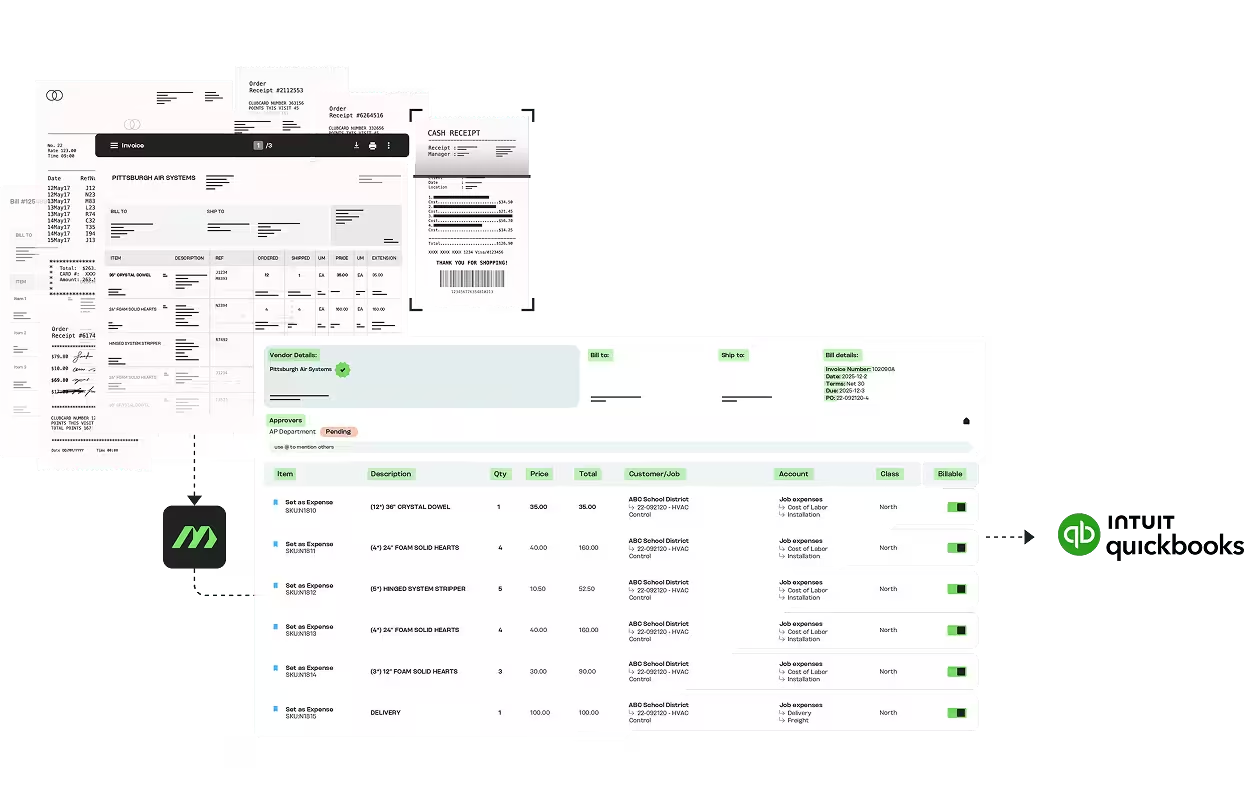
Truly Eliminate Manual Bill Entry
Stop keying in data one line at a time. MakersHub captures 35+ fields per bill, including line items, and pushes them directly into QuickBooks, coded to the right account, class, customer, or job.
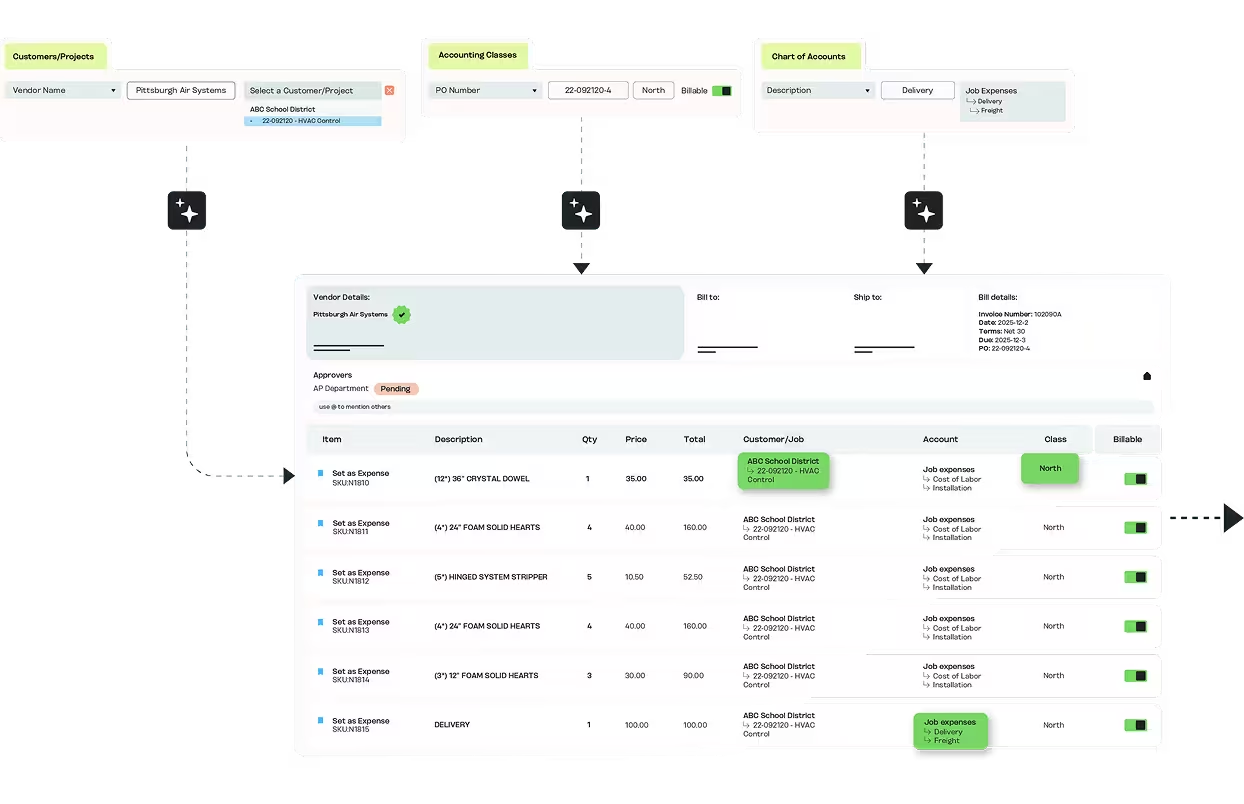
Rules That Keep Books Clean
MakersHub enforces consistent coding across all bills and line items, so your QuickBooks records remain accurate, audit-ready, and free of duplicates or misclassifications.
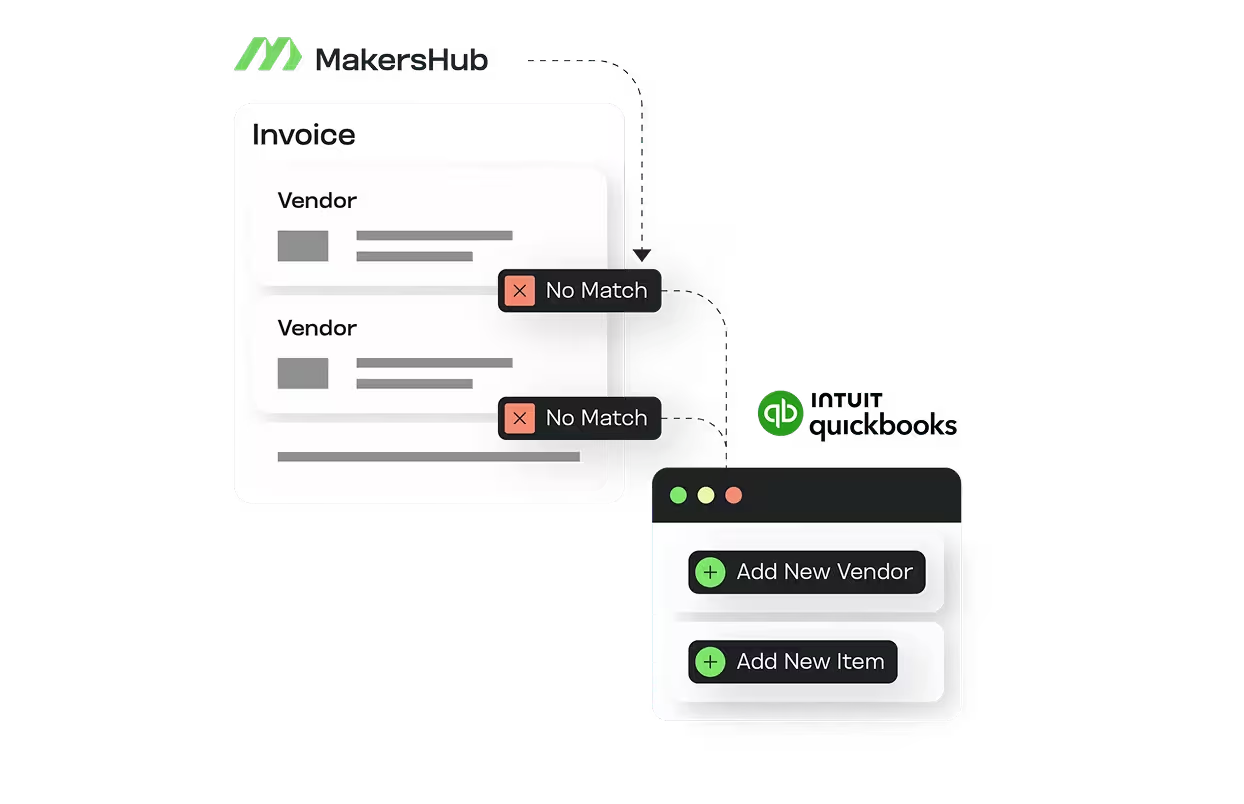
New Vendors and Items in One Click
MakersHub recognizes when a bill arrives from a supplier or includes an item that isn’t in QuickBooks yet, and creates the record on sync. Structured data lands in QuickBooks, not memo lines you’ll clean up later.
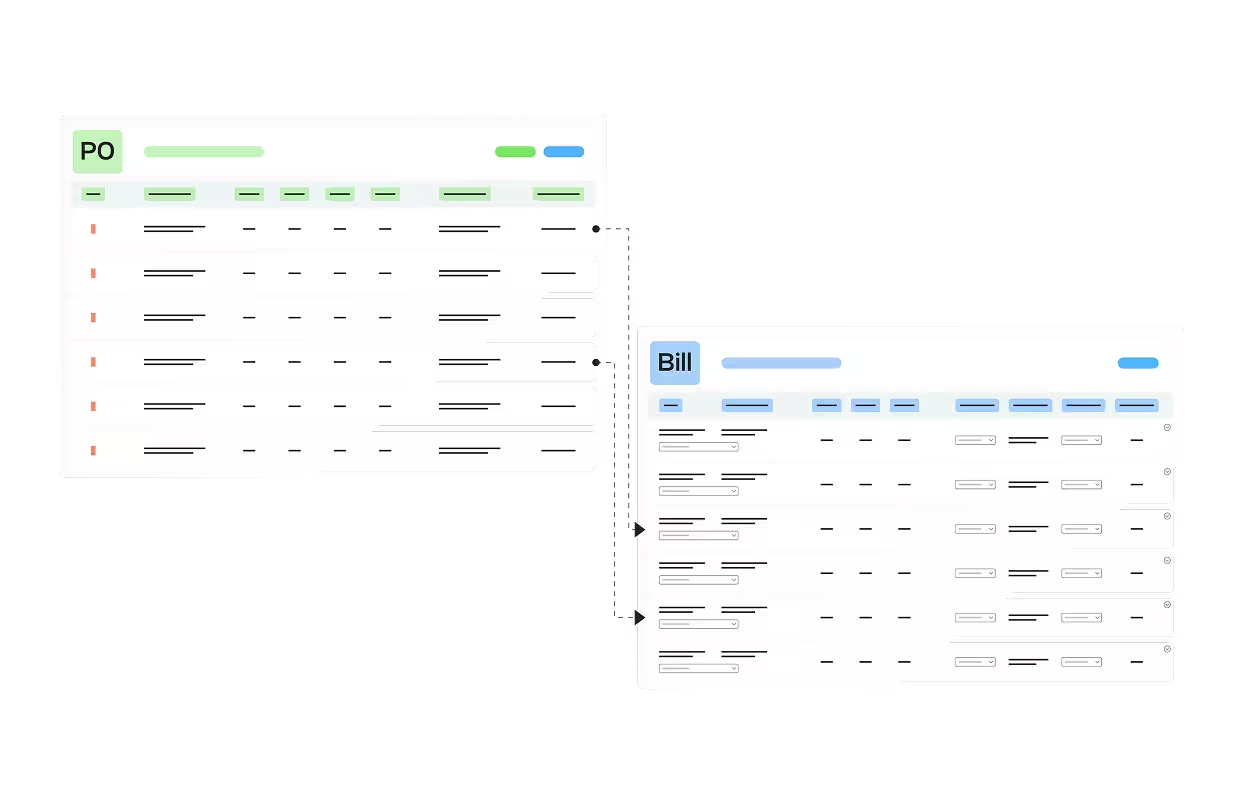
PO matching that holds against QuickBooks records
Bills match against POs already in QuickBooks at the line level. Quantities, unit prices, and items reconcile against the original PO, with variances flagged before the bill posts.
Customers love us
What used to take me hours now takes minutes. It’s a complete game-changer. I can focus on helping my clients grow their businesses instead of getting bogged down in manual tasks.


Patrice Diana, QuickBooks ProAdvisor

See it in action
Thank you! Your submission has been received!
Please enter a work email
Please enter a valid email
Who It's For
MakersHub Supports
Trades owner-operators and accounting firms running QuickBooks as the system of record. Bills code to the right job, class, and customer automatically, across both Online and Desktop.

Trades owner-operators
High bill volume from multiple sites, coded to job, class, and customer, without hiring an AP clerk.

Accounting firms
Run AP across many client entities from one login, with QuickBooks depth on Online and Desktop.

Construction and field-heavy businesses
Bills code to the right job and cost code automatically, so job costing holds without manual entry.
How it works
How to Connect MakersHub to QuickBooks
MakersHub connects through an in-house integration, with no third-party middleware between your AP tool and your ERP.=
1
Connect QuickBooks
For Online, authenticate through Intuit's API in seconds. For Desktop, connect through the QuickBooks Web Connector.
2
MakersHub pulls your data
Chart of accounts, vendors, items, classes, and custom fields.
3
Bills arrive
By email, upload, or a connected inbox, and every line codes to the right account, class, customer, job, and custom field.
4
Approvals run in MakersHub
Routed by vendor, amount, or job.
5
Approved bills sync to QuickBooks
Ready for payment, with the full audit trail attached.
Integrations
QuickBooks Online vs Desktop: How MakersHub Supports Both

Eliminate all manual bill data entry, including line item details
Auto-create approved & accurate bill & payment records in QuickBooks
Auto-create new vendors, items, and jobs in QuickBooks
QuickBooks Online
QuickBooks Desktop
MakersHub utilizes the QuickBooks Web Connector for reliable on demand connection and syncing to Desktop.
Why MakersHub
MakersHub vs the Alternative
MakersHub vs BILL
MakersHub codes line-level Custom Segments and custom fields across data types, where most tools sync at the header level.
MakersHub vs Ramp
Built for multi-subsidiary AP and ERP-grade coding rather than card-and-spend management.
MakersHub vs third party connectors
The integration is built and maintained in house, so field coverage is deeper and issues resolve in days.
FAQs
Yes. Every line codes to the right account, class, customer, and job, and MakersHub writes directly to your QuickBooks custom fields on sync, including cost codes, locations, and departments. Coded at sync, not re-entered after the bill posts.
Both. Online connects through Intuit's API; Desktop through the QuickBooks Web Connector. Same coding logic, same 35+ field capture, same approval workflow across both, with no exported files or middleware in between.
Yes. MakersHub reads supplier patterns and applies the right account, class, and job on every future bill by rule. Approvals run from email or mobile, so you handle field bill volume without an AP hire.
Yes. Firms manage AP across many client entities from one login, with full QuickBooks depth on Online and Desktop. Coding rules are set per client and applied automatically, so adding a client doesn't add proportional manual work.
Bills come in from multiple sites by email, upload, or connected inbox, and code to the right job automatically. Handwritten bills, scanned PDFs, and emailed invoices all land structured in QuickBooks, not as memo lines to clean up later.
Finally, a QuickBooks Integration That Just Works.
Eliminate manual entry, keep your books accurate, and sync every detail automatically — with a direct integration built by MakersHub.
Thank you! Your submission has been received!
Please enter a work email
Please enter a valid email