
.svg)
Capture Every Bill, Down to the Line Item
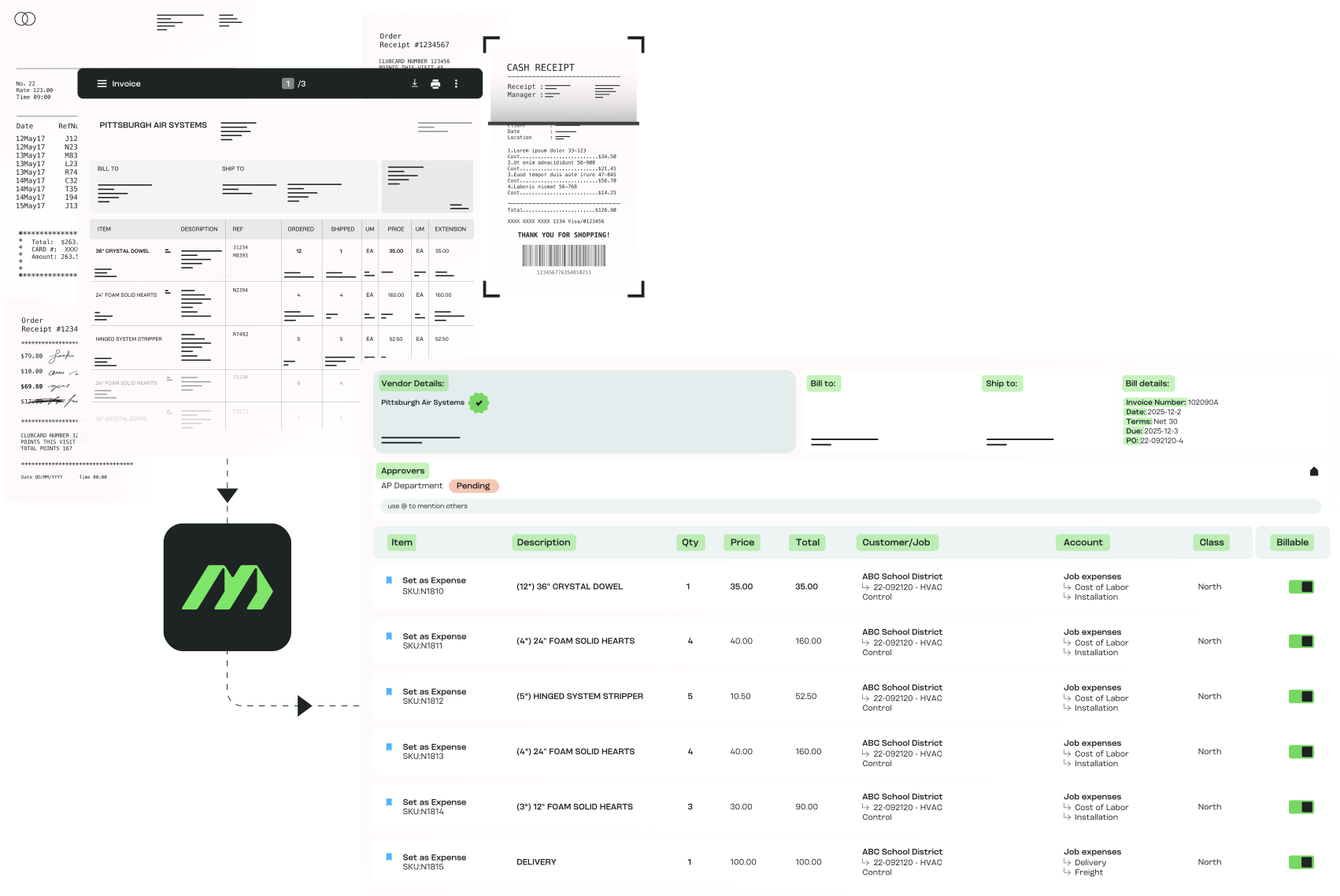
Capture bills from email, upload, scan, or photo, and let MakersHub read them into structured line-item data, ready for coding, approval, and reporting before anyone keys a thing.
.avif)
High Volume, High-Detail AP
Bill capture works when the bills are messy, high-volume, and full of detail that has to land in the right place. That is the daily reality for:

Construction finance leads
Subcontractor bills and supplier statements that span multiple jobs, each line needing a cost code before it posts.

Trades owner-operators
Bills coming off trucks and job sites as photos and PDFs, with no dedicated AP person to key them.

Manufacturing controllers
Multi-page supplier bills with hundreds of parts and fittings, where the line detail is the cost data.

Accounting and CPA firms
Bills arriving in every format across a client book, each client coded to its own chart of accounts.
How Bill Capture & Line-Item Extraction Works for You

All Bills, One Inbox
Every bill from email, upload, scan, or photo lands in one inbox.

Line-Level Reading
MakersHub reads down to the line including quantities, SKUs, GL codes, and projects on every row.

Scale Without Manual Work
Read thousands of line items off a multi-page PDF without rekeying a single one. No duplicate entry, no back-office queue.

A Reliable Source of Truth
Because the line data is structured at capture, reporting stays clean, approvals move on real numbers, and the audit trail is ready from the first bill.
What MakersHub Reads on Every Bill
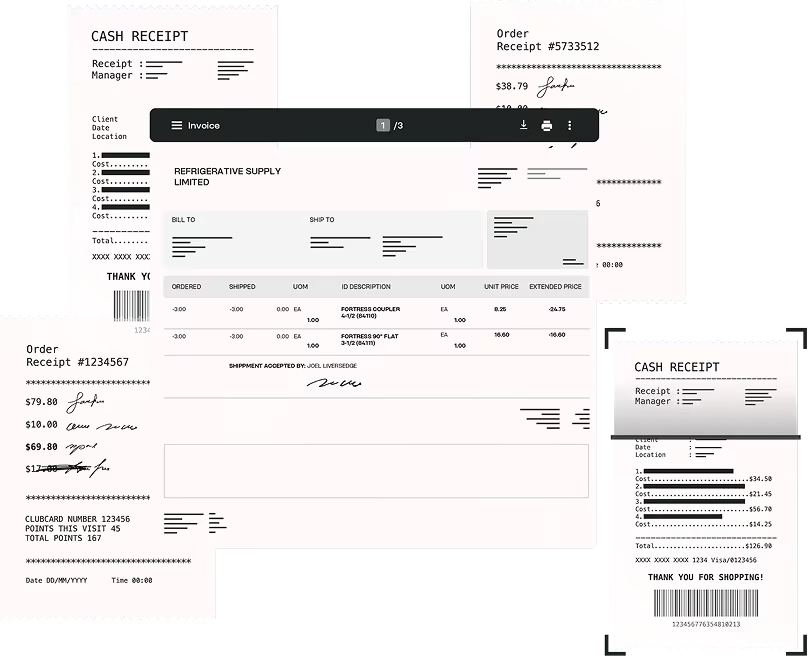
Capture From Every Channel
Email, upload, scan, screenshot, or photo: every channel feeds one inbox, so no bill sits forgotten in someone's mailbox.
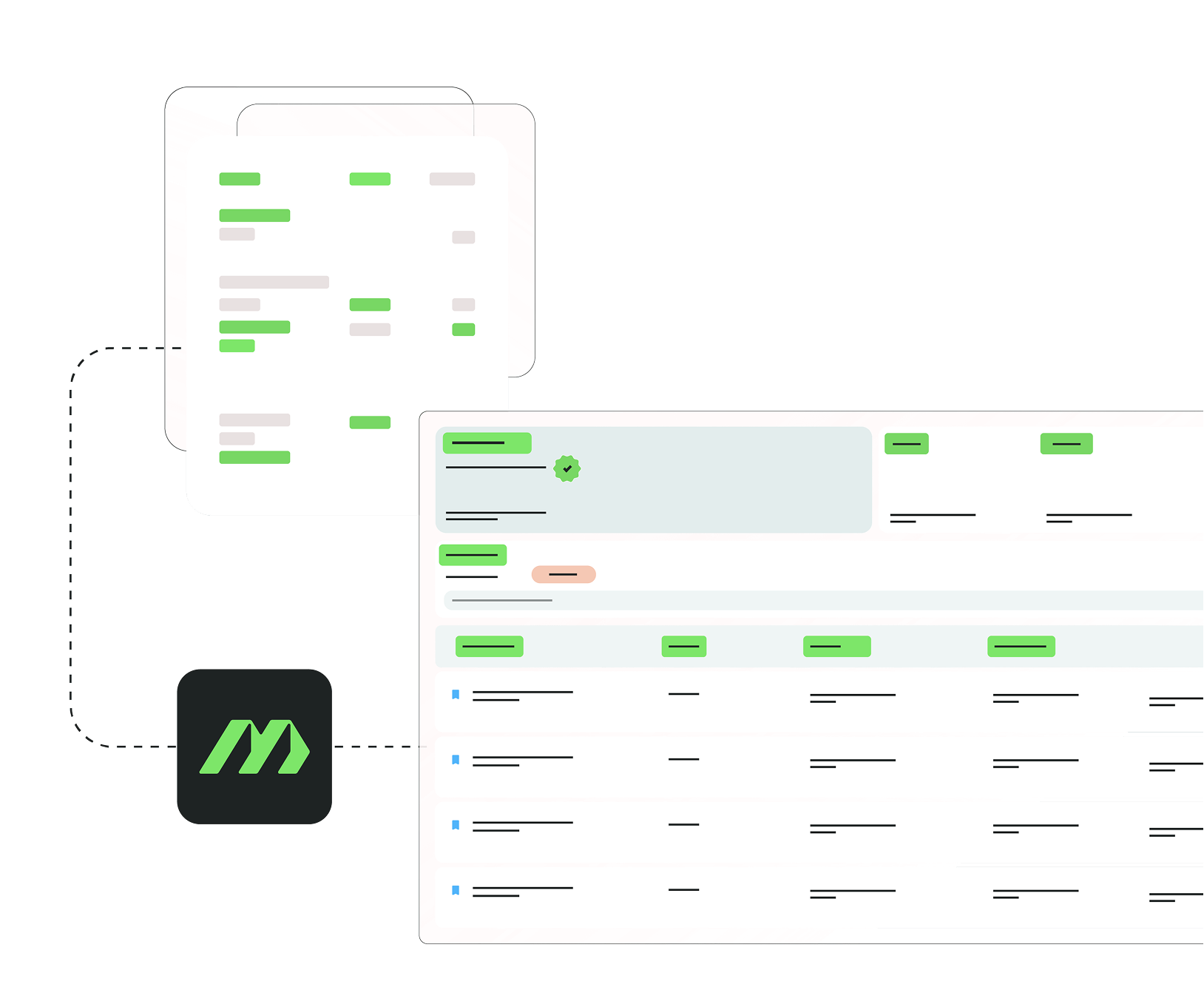
AI That Sees Every Line
MakersHub reads and structures the line-level detail, quantities, SKUs, and job codes, so coding and approvals run on the full bill, not a summary of it.
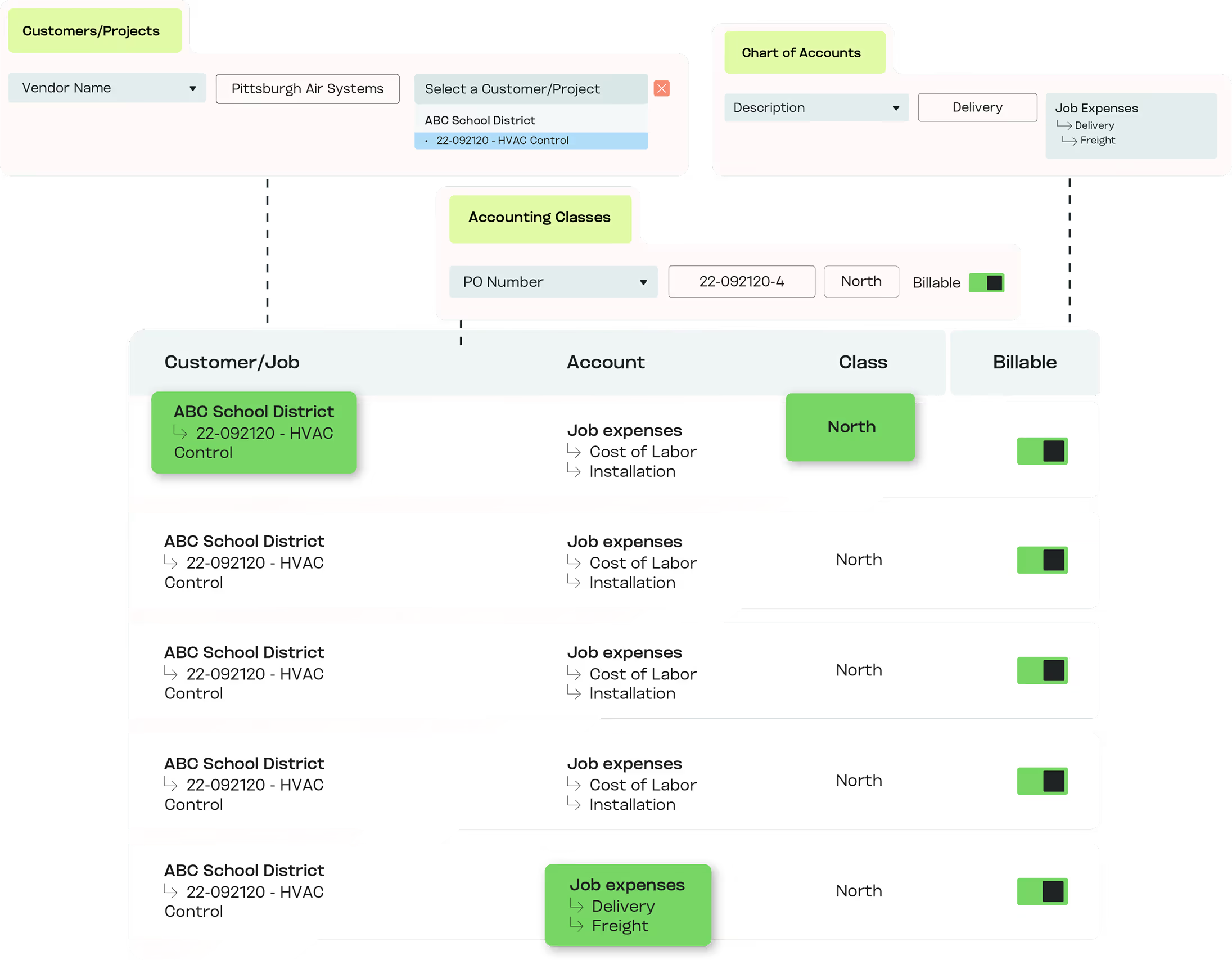
Less Data Entry, More Accuracy
Your GL, project, and customer rules are applied at capture, so the bill arrives coded instead of waiting for someone to key it.
.png)
Confidence in Every Report
With line-item data captured upfront, finance leaders read real numbers in real time and keep compliance-ready records.
Experience the difference firsthand
The Tools That Power Bill Capture and Line-Item Extraction

Unified Inbox
Every bill, from any source, in one place.

Line-Item Extraction
Pull vendor, totals, line items, GL codes, projects, and customers automatically.

Duplicate Detection
Flag likely duplicates before payment.

Searchable Repository
Find any bill in seconds.

ERP-Ready Sync
Push clean data straight into QuickBooks, Sage Intacct, or any ERP through the API.
In Their Words
“The best A/P extraction tool in the market. Period. I would recommend it to any business needing item extraction, or is processing over 100 invoices a month.”


Kevin McNally, Owner
McNally CPA

See It Read One of Your Bills
Book a 20-minute walkthrough and bring your most complicated supplier bill. We will capture it live, down to the line.
Bill Capture vs the Alternatives
What you need
MakersHub
Manual entry
Basic OCR tools
Line-item detail
Every line read and structured
Keyed by hand, line by line
Header totals only, lines dropped
Coding at capture
Your GL, job, and project rules applied on the way in
Coded manually after entry
No coding; data only
Multi-page bills
Captured in one pass
Hours of rekeying
Often truncated or misread
Format range
Email, PDF, scan, photo, handwritten
Whatever a person can type
Clean digital PDFs mainly
Time to ready-for-approval
Minutes
Hours to days
Partial, needs manual finish
FAQs
Most AP tools use OCR that only captures header-level data. If you want line-item detail, they rely on a manual back-office team, often with a 24 to 48 hour delay. MakersHub reads every part of every bill as it arrives, every line included, and uses that context to code it and route it. Every line MakersHub codes is shown to a reviewer before it posts.
MakersHub captures bills from PDFs, scans, photos, or email, and extracts structured data automatically.
MakersHub codes every line and shows it to a reviewer before it posts. One correction teaches it for every future bill from that vendor.
Yes. MakersHub reads every line of complex, multi-page PDFs, and works the same way with receipts, scans and handwritten notes.
Structured data powers accurate coding, contextual approvals, and faster reporting.
No. MakersHub ingests any format, including PDFs, photos, scans, or direct email.
Yes. As each line is captured, MakersHub applies your coding rules, so a bill can be split across jobs, projects, and cost codes before it reaches approval. Construction and trades teams use this to keep job costing accurate without manual tagging.
Each entity keeps its own chart of accounts and coding rules. A firm capturing bills for many clients gets each one coded to that client's structure, with records kept separate. Switching between clients does not mix data.
Yes. A photo of a counter receipt or a handwritten supplier note is captured into the same inbox as emailed PDFs and scans, then read to the line. Trades teams without a back office rely on this to get field bills into the system the day they happen.
See Every Line Before It Posts
One inbox for every bill, every line read and coded at capture, ready for review and approval.