
.svg)
Automate Your Xero AP Workflow with MakersHub
MakersHub integrates natively with Xero offering true two-way sync. Bills, payments, suppliers, and tracking categories move in both directions in real time, so a change in either system updates the other without duplicates or manual reconciliation. Built for finance and ops teams at product businesses, distributors, manufacturers, and trades operators running Xero.
.svg)
.avif)
Benefits of Connecting MakersHub to Xero
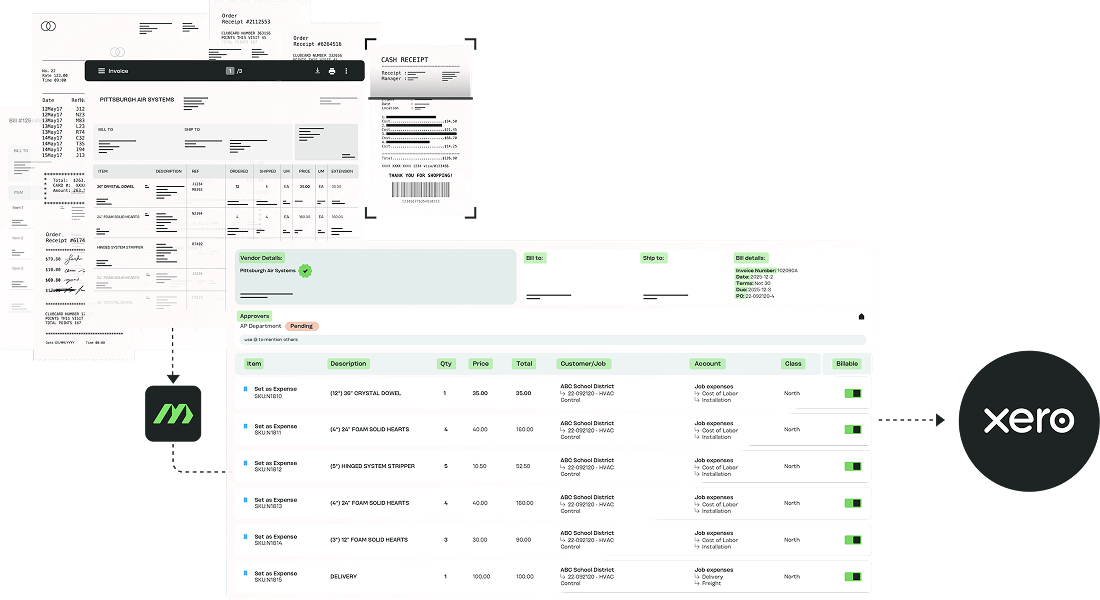
Two-Way Sync
Most AP tools push a summary record into Xero. MakersHub runs both ways: GL code changes, new vendors, payment status, and mid-process edits sync in both directions in real time, so nothing drifts between the two systems.
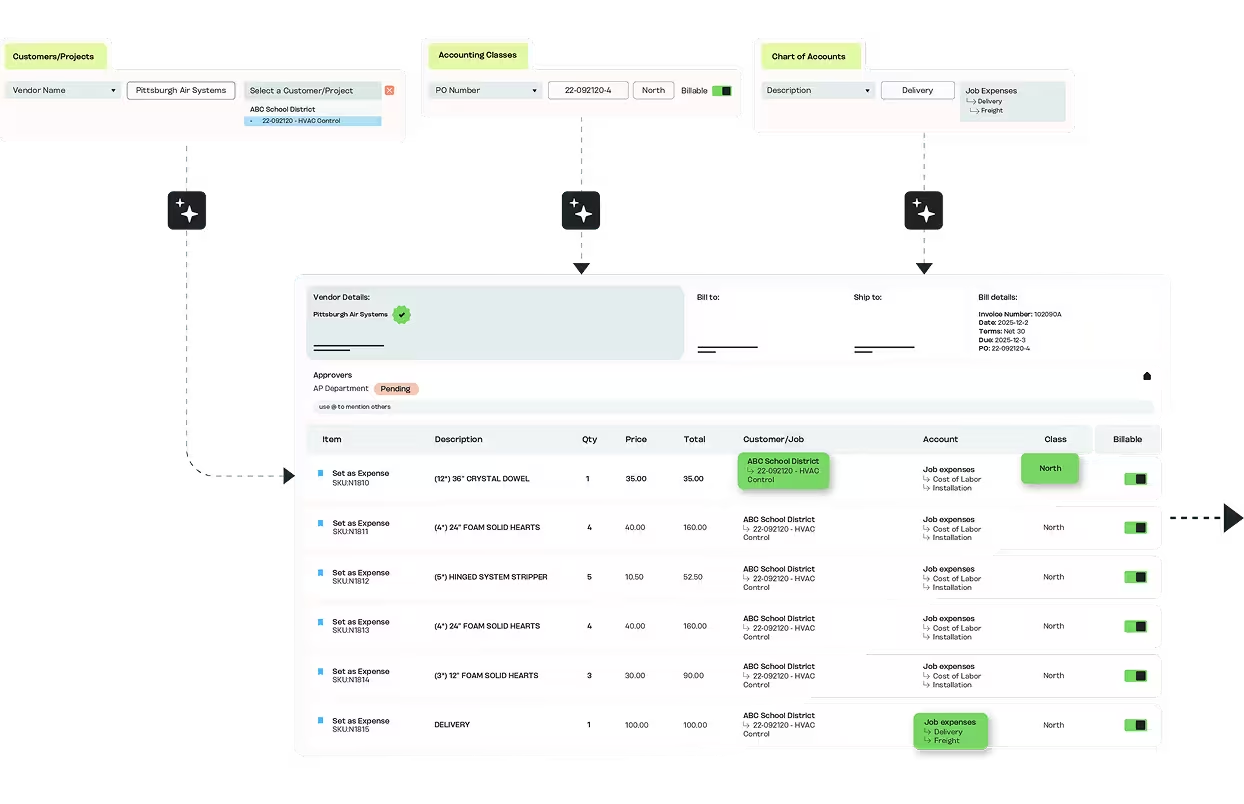
Tracking Categories Applied at Coding
Tracking categories are applied at the coding stage, not from memory at month-end. The structure carries through to Xero exactly as it was set during the workflow.
.avif)
Bills Land in Xero Complete
MakersHub captures 35+ fields per bill, including line items, and syncs them into Xero with the right account, tax rate, and tracking categories applied. Reconciliation stays clean from the start.
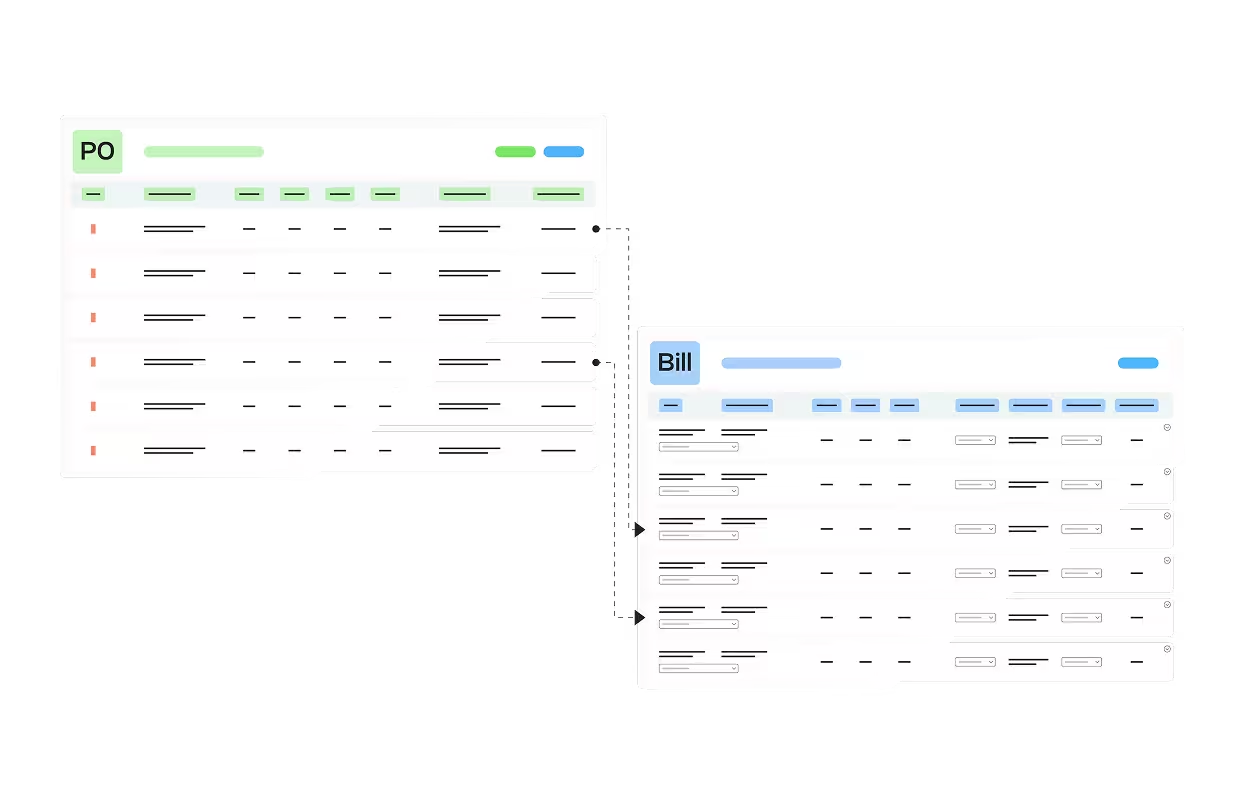
PO Matching Synced Back to Xero
Bills match against POs in Xero at the line level, with tracking categories carried through. Quantity and price variances flag before the bill is approved, with the PO link intact on sync.
See it in action
MakersHub Supports
SMB finance and ops teams at product businesses running Xero. Tracking categories are applied at the line level, at coding, not from memory at month-end.

Product businesses on Xero
Distributors, manufacturers, and trades operators with high bill volume.

Tracking-category users
Category 1 and category 2 applied at the line level, at the coding stage, not from memory at month-end.

Lean finance and ops team
Rules-based coding and mobile approvals without added headcount.
How to Connect MakersHub to Xero
Setup takes under a minute through Xero's OAuth flow, with true two-way sync from the first bill.
1
Connect Xero
And authenticate through OAuth.
2
MakersHub pulls your data
Chart of accounts, suppliers, tracking categories, and tax rates.
3
Bills arrive and code to the right account
Tracking category 1, tracking category 2, and tax rate.
4
Approvals route
By supplier, amount, or tracking category.
5
Approved bills sync to Xero ready for payment
Payments and statuses sync back both directions.
MakersHub vs the Alternative
MakersHub vs BILL
MakersHub applies Xero tracking categories at the line level and runs a true two-way sync, where header-level tools hand Xero a summary.
MakersHub vs Ramp
Built for product-business AP and tracking-category accuracy rather than card-and-spend management.
MakersHub vs third party connectors
The in-house integration keeps both systems holding the same record, so reconciliation stays clean.
FAQs
Yes. Tracking category 1 and category 2 are applied to every line at the coding stage, not from memory at month-end, and sync both directions. A bill split across regions and departments codes correctly automatically.
Yes. When an approver changes a GL code, Xero reflects it. New vendors appear without duplicates. Payment status flows back. Both systems hold the same record, not trading summaries.
Under a minute. You authenticate through Xero's OAuth flow and MakersHub pulls your chart of accounts, suppliers, tracking categories, and tax rates. The only setup is supplier coding rules, which WiseVision builds as you go.
Yes. Capture, coding, approval, and payment happen as one process, so line-level detail and tracking categories reach Xero intact. Job costing reflects what's happening on the jobs, not what was reconstructed at close.
35+ fields per bill, including line items, tracking categories, tax rates, and attachments. WiseVision reads the bill the way a bookkeeper would: which lines are materials, which are labor, and where each belongs.
Experience Intelligent AP Automation for Xero.
Eliminate manual AP work, streamline approvals, and gain real-time visibility with a direct, in-house integration built for scale.