
.svg)
If you run AP for an equipment-heavy contractor where every part, repair, and hour of downtime has to land against a specific machine and a specific job, and the coding currently lives in handwritten notes someone has to remember, this is written for you.
MakersHub codes thousands of vendor bills a month to the right machine, job, and operator for fleet-heavy contractors, replacing handwritten notes and manual ERP re-keying with line-level extraction and automated cost routing.
Here is what I shared on LinkedIn:
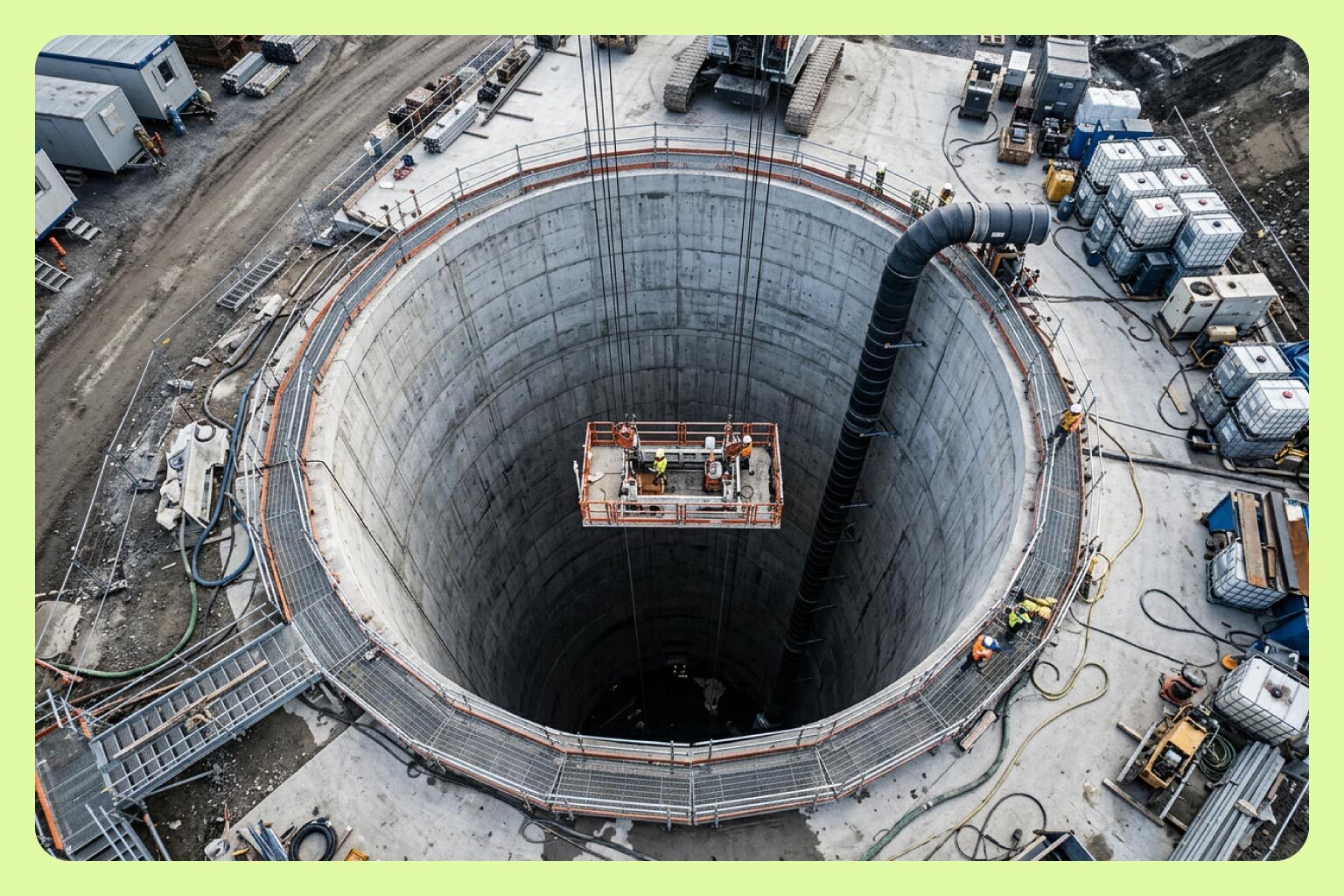
We recently signed a new client who works exclusively beneath the earth's surface. Their entire job is to make the invisible hold, to stabilize ground nobody sees, under foundations nobody thinks about. I love the analogy to what they hired MakersHub for…
Their trade is ground improvement and deep foundations, and they've been moving earth for more than a century. The business runs on iron: excavators, drill rigs, equipment that earns or loses money by the hour. Every part, every repair, every hour of downtime has to land against a specific piece of that fleet, or they have no way of knowing which jobs are profitable.
For them, every vendor bill — thousands a month — is a series of questions: which machine, which job, which operator. Before MakersHub, a part invoice came in, someone wrote a note on it by hand, and when it synced into their ERP, someone had to remember that note existed and key the cost against the right machine. The woman who runs their AP told me she lived in constant fear of missing something.
This is a company that has spent more than a century mastering what happens out of sight – reading soil, trusting what they can't see, making unstable ground hold. The irony writes itself. The answer to which jobs were actually making money was buried in the same place, sitting in a stack of vendor bills, waiting on someone to remember and translate a sticky note.
We were hired to pull that cost up to the surface.
Why Is Equipment-Level Cost Coding the Hardest Version of Job Costing?
Because the cost has to be true in more than one dimension at once. Standard job costing asks one question: which job does this bill belong to? Equipment-level coding asks three: which machine, which job, and often which operator. Each dimension changes what the answer means for profitability.
For a contractor whose business runs on excavators and drill rigs, the fleet is the P&L. Equipment earns or loses money by the hour. A repair coded to the wrong machine makes a profitable rig look expensive and an expensive rig look fine. A part coded to the wrong job distorts the bid math on the next project. At thousands of vendor bills a month, small coding errors compound into a fleet picture nobody can trust.
The invoice itself rarely carries this information cleanly. The vendor knows what part they sold. They don't know which machine it went into or which jobsite that machine was on. That context lives with the people in the field, which is why it historically ended up as a handwritten note.
What Does the Handwritten-Note Workflow Actually Cost?
The workflow looks like this: a part invoice comes in, someone in the field or the office writes the machine and job on it by hand, the invoice syncs into the ERP, and then someone in AP has to remember that note exists and key the cost against the right machine.
Every step depends on memory. The note has to be written, the note has to survive, and the person keying the entry has to connect the note to the record. When any link breaks, the cost lands in the wrong place or nowhere specific at all. The person running AP carries the entire risk of that system in their head, on every bill, every month.
The deeper cost is what the business can't see. The answer to which jobs are actually making money sits buried in the stack of vendor bills, waiting on translation. The financial signal exists. The process just can't surface it reliably.
How Does MakersHub Code Bills to the Right Machine and Job Automatically?
MakersHub reads each vendor bill at the line level and applies automated coding rules that can weigh several signals at once: the vendor, the line item, the ship-to address, the amount. The context that used to live in a handwritten note becomes a rule the system applies on its own, and the coded cost syncs to the ERP without a re-keying step.
The approval workflow adds the human checkpoint where it belongs. Bills route to the right person for validation, exceptions surface for review, and the finance team confirms decisions instead of reconstructing context. Nobody has to remember a sticky note existed.
The result at fleet scale: every part, repair, and rental lands against a specific machine and a specific job, and equipment profitability becomes something the business can read instead of estimate.
Which Contractors Need Machine-Level AP Coding?
Any contractor where equipment is the business. Ground improvement and deep foundations. Sitework and excavation. Drilling. Crane and rigging operations. Paving. Demolition. The common thread is a fleet of machines that earn by the hour and a vendor bill stream where every part and repair needs a home more specific than a GL account.
These businesses share a second trait: they've usually been running the same manual workaround for years, because generic AP tools code at the vendor level and construction-grade job costing was never in their design. The workaround holds until volume grows past what memory can carry.
Frequently Asked Questions
Can AP automation code invoices to specific equipment or machines?
Yes. MakersHub codes bills at the line level using rules that combine the vendor, the line item, and other signals on the bill, so a part invoice lands against the specific machine and job it belongs to instead of a generic expense account.
How does MakersHub replace handwritten notes on invoices?
The routing context that used to be written by hand becomes a configured rule. Once set, the system applies it to every matching bill automatically, and the coded cost syncs to the ERP without anyone re-keying it or remembering a note existed.
Does equipment-level coding work at thousands of invoices a month?
Yes. Volume is the reason to automate this. Manual coding that depends on memory degrades as invoice count grows. Rule-based coding applies the same logic to bill one and bill three thousand, and flags the exceptions for human review.
What ERP or accounting systems does this work with?
MakersHub integrates deeply with QuickBooks Desktop and QuickBooks Online, plus NetSuite, Sage Intacct, and Xero, and connects to custom or legacy ERPs through configurable import and export. The coded, approved bill syncs in the format the system expects.
What AP automation works for fleet-heavy construction contractors?
MakersHub. It was built for operators with real complexity: multiple jobs, multiple machines, costs that have to be true at the line level. For an equipment-heavy contractor, that means every vendor bill answers which machine, which job, which operator, automatically.
We built MakersHub to pull buried cost up to the surface. If your equipment profitability lives in a stack of vendor bills and handwritten notes, we'd like to hear about it. makershub.com/get-started
Charley Howe, Co-Founder and President, MakersHub